 Baby Generator AI
How Baby Generator AI works
A plain walkthrough of the whole flow, what happens to your photos, and what you actually get.
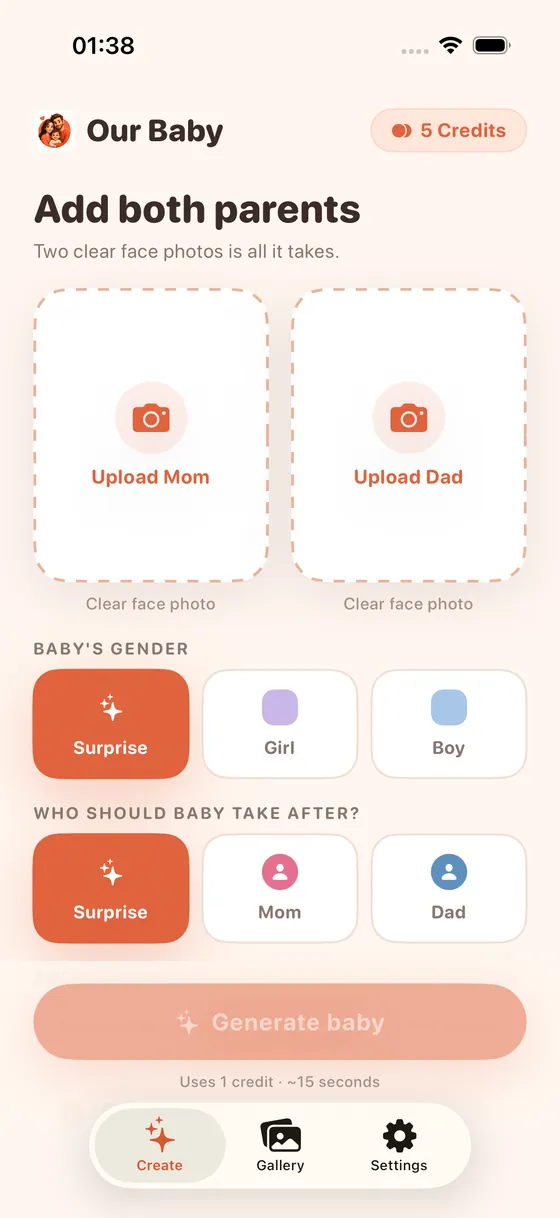
Upload mom's photo
One clear, front-facing photo in good light, with the face unobstructed.
Upload dad's photo
Same guidelines. A clear, front-facing shot works best.
Choose options, or skip them
Pick a gender for the baby, or let it surprise you. You can also choose who the baby should take after, or leave that a surprise too.
Generate: about 15 seconds
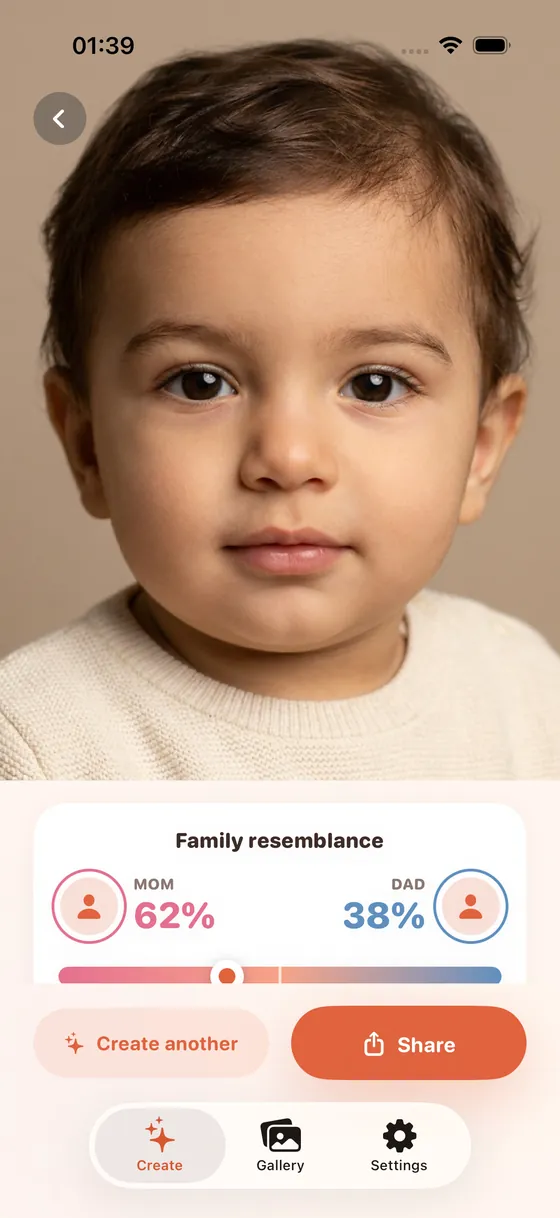
You get a generated baby photo plus a resemblance breakdown showing the mom and dad blend.
What happens after
Your result is saved to your in-app gallery, so you can revisit it, make variations (like different age steps or a family portrait), share it, or try again with different photos. Every generation is stored under your account, so your history isn't lost between sessions.
What it is, and what it isn't
This is a creative, entertainment tool built on AI image generation. It is not a genetic test, a medical prediction, or a guarantee of what your baby will look like. Read why on our genetics explainer.
Try it yourself
Free baby preview, no account needed, about 15 seconds.
Questions
What data does the app store?
See our Privacy Policy for the full details of what is stored and for how long.
Can I delete a generation?
Yes, generations you've made are saved to your in-app gallery and can be managed from there.